
Get a Customized Solution for Your IT Needs
+91 702-705-8777
info@pansofic.com
55-56, 1st floor, Chandigarh Complex, Prabhu Prem Puram, Ambala Cantt, Haryana 133006






"A step-by-step guide to help local service businesses build a website that attracts customers, ranks locally, and drives more bookings."
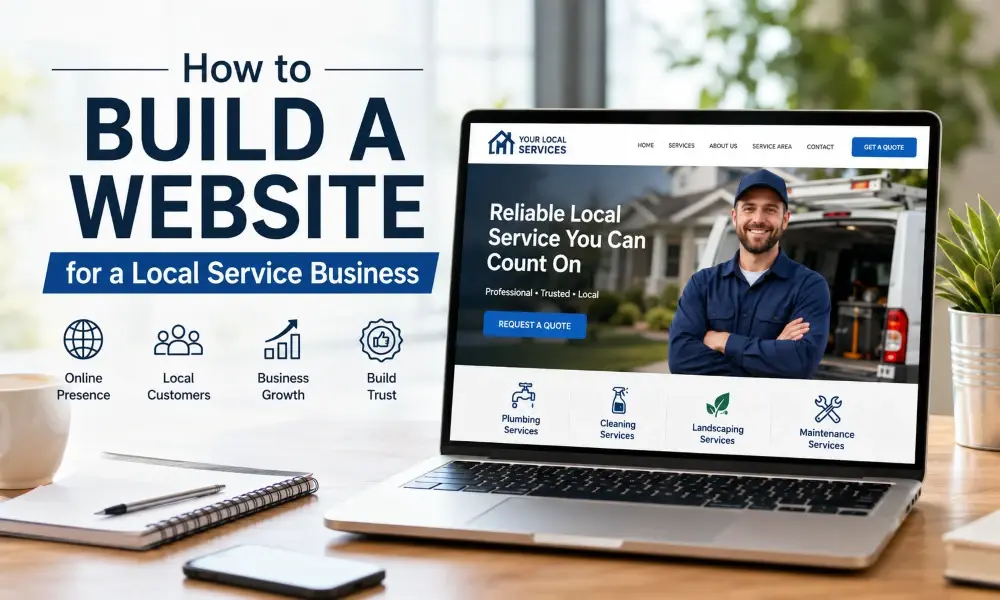
Building a website for a local service business can be a daunting task.As a local business, if you have a plumbing, cleaning, landscaping or any other business, you have no choice but you have a solid online presence. Prior to calling anyone, the majority of customers are searching online. If you don't have a site, or your site is not as updated as it needs to be, then you are losing out work to other people that appear first.
This is a step-by-step guide to creating a website for almost any business, especially a local service business website – it's all very simple.
A website is more than just professional looking. It's a business sales tool that's available 24/7 for a local business website, even when your phone is off or your team is out on jobs.
The good site will assist you in accomplishing the following:
Without knowing what it is needed to do, you should not touch any design tool. Most service business website goals can be categorized into one of these goals:
Consider the actual employer of your choice. The requirements of a homeowner looking for an emergency plumbing service are not the same as those of a property manager, who is looking to obtain an ongoing quote. This information will aid you in composing content aimed at the correct crowd.
Building a website is not a requirement for one to be a programmer. Popular options include:
Most local services don't need the advanced customisations.Easy content updates matter more to most local services. Select a platform that your team can work with.
Your domain name should be easy to remember, easy to spell and preferably have your business name or service type. Be brief and telephone friendly.
In selecting hosting, keep the following in mind:
Visitors will become frustrated at a slow or unreliable site, and it's bad for your search rankings.
A good local service business website should have the following elements:
This is the first impression that you get. It should be clearly visible what you do, where you do it and how to contact you (above the fold).
Give a brief description of each service. Having multiple pages is beneficial if you're providing multiple services, as this will help in terms of keywords for the specific services.
Tell your story, experience and team. Local customers don't always want to use the product, they want to know the people they will be dealing with.
Explicitly list the suburbs, towns and/or regions served. It's crucial for people doing local search as well as eliminating outside enquiries.
Keep it easy to get in touch with you. Include:
One of the top trust elements of a local business is social proof. Include authentic ratings, reviews and, if applicable, pictures of finished projects.
After you've set up your pages, whether or not your pages are visible to people is decided by local search optimisation. Key steps include:
Search engines favor content that flows well, and doesn't contain repeated phrases over and over. Include keywords such as local business website, service business website and location-specific terms throughout a website in a natural way when you build it.
The majority of the searches are performed on mobile phones and are typically by someone right in front of the issue: a leaky pipe, overgrown lawn, broken appliance. Your site needs to:
All pages should have one clear next step. Typical actions to take in a service business are:
Don't just do this on the homepage, but throughout the site as well, ensuring that any visitors know what to do next.
Just prior to going live, verify that:
There are no spelling or formatting mistakes.
Once you have launched your website, consider it as a continuous investment. Post regular updates or blog posts, update service pages, add new reviews, freshen photos.
The cost will range widely, depending on the platform and complexity, from something simple, do-it-yourself, to something bigger, custom-built. Numerous companies begin small and grow as time goes on.
Not a require, however regularly updated content can increase visibility on search engines and provide expert knowledge to any potential customers.
Simple sites can be created in a couple of weeks; more custom sites take more time to design and content depending on the design of the site.
Yes, many website builders are user-friendly and suitable for non-technical users, but if you want an even more customisable and SEO-ready website, you can hire a professional to build it.
These are typically the most important, as the home page makes an initial impression and the contact page makes it easy for customers to contact you.
Creating a website for a local service business doesn't have to be daunting. Emphasise a clear purpose, a simple format, mobile responsiveness and authentic localism. When it's done right, your website can be one of your best assets to getting and retaining local customers, even after hours.


 Seo Admin
Jan 21, 2026
 Seo Admin
Nov 07, 2025
 Seo Admin
Apr 17, 2026
 Seo Admin
Dec 24, 2025
 Seo Admin
Jan 30, 2026