New Meta Ads Changes 2026 – Step-by-Step Setup Guide for All Campaign Types

New Meta Ads Changes 2026 – Step-by-Step Setup Guide for All Campaign Types

Jan 21, 2026 23 mins read

Learn about new Meta Ads changes in 2026 and how to set up your ad account step by step. Complete guide for lead, sales, traffic & brand campaigns.
New Meta Ads Changes 2026 – Step-by-Step Setup Guide for All Campaign Types

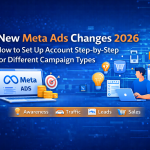
New Meta Ads Changes 2026: How to Set Up Account Step-by-Step for Different Campaign Types  

Meta (formerly Facebook) Ads is still one of the  most powerful advertising platforms for businesses in 2026. But if you have recently logged into Meta Ads Manager, you probably noticed one thing:  

👉  Everything looks different now.  

Meta has rolled out  major changes in 2026 — from simplified campaign objectives to AI-driven automation and a new account structure that confuses many beginners and even experienced advertisers.  

At  Pansofic Solutions , we manage Meta Ads for multiple businesses, and we’ve created this  simple, step-by-step guide to help you:  

  • Understand the new Meta Ads changes in 2026  
  • Set up your Meta Ads account correctly  
  • Create campaigns for different business goals (Leads, Sales, Traffic, Awareness)  

What’s New in Meta Ads 2026? (Quick Overview)  

Before jumping into setup, let’s understand what changed.  

🔹 1. Fewer Campaign Objectives (Simplified)  

Meta has reduced objectives into  6 main categories :  

  1. Awareness  
  2. Traffic  
  3. Engagement  
  4. Leads  
  5. App Promotion  
  6. Sales  

This makes selection easier but also more strategic.  


🔹 2. AI-Driven Advantage+ Campaigns  

Meta now heavily promotes:  

  • Advantage+ Shopping Campaigns  
  • Advantage+ Audience  
  • Advantage+ Placements  
  • Automated creatives  

Meaning:   
👉 More automation, less manual control.  


🔹 3. Default Broad Targeting  

Interest targeting is now optional.   
Meta encourages  broad audiences and lets AI find buyers.  


🔹 4. New Conversion Tracking Setup  

Meta now prefers:  

  • Conversions API  
  • Pixel + CAPI combination  
  • Aggregated events setup  

Step 1: Create or Access Meta Business Manager  

Go to:   
👉 business.facebook.com  

Click:   
Create Account  

Fill in:  

  • Business name  
  • Your name  
  • Business email  

Once created, you’ll enter  Business Manager Dashboard .  


Step 2: Add Your Facebook Page & Instagram Account  

Inside Business Manager:  

  1. Go to  Settings  
  2. Click  Accounts → Pages → Add your Facebook Page  
  3. Click  Accounts → Instagram Accounts → Add Instagram  

This allows ads to run from your brand identity.  


Step 3: Create or Add Ad Account  

Go to:  

Settings → Accounts → Ad Accounts → Add  

Choose:  

  • Create a new ad account  
  • Or add an existing one  

Set:  

  • Time zone  
  • Currency  
  • Business purpose  

Step 4: Set Up Meta Pixel & Conversions API (Very Important)  

Go to:  

Events Manager → Data Sources → Add Pixel  

Steps:  

  1. Create Pixel  
  2. Add website URL  
  3. Install pixel via:  
    • Manual code  
    • Google Tag Manager  
    • Shopify / WordPress plugin  

Then enable:  

👉  Conversions API (CAPI)   
This improves tracking accuracy in 2026.  


Step 5: Verify Your Domain  

Go to:  

Brand Safety → Domains  

Add your website domain and verify via:  

  • Meta-tag  
  • HTML file  
  • DNS record  

Then prioritize events like:  

  • View Content  
  • Add to Cart  
  • Lead  
  • Purchase  

Campaign Setup: Step-by-Step (Different Types)  

Now let’s create campaigns based on goals.  


Campaign Type 1: Awareness Campaign (Brand Visibility)  

Objective: Awareness  

Best for:   
New brands, local businesses, service providers  

Steps:  

  1. Click  Create Campaign  
  2. Choose  Awareness  
  3. Select:  
    • Reach  
    • Brand awareness  

Audience:  

  • Broad or location-based  
  • Age + gender if needed  

Creatives:  

  • Brand video  
  • Image ad  
  • Intro message  

Campaign Type 2: Traffic Campaign (Website Visits)  

Objective: Traffic  

Best for:   
Blogs, landing pages, offers  

Steps:  

  1. Choose  Traffic  
  2. Destination:  
    • Website  
  3. Optimization:  
    • Landing page views  

Audience:  

  • Broad or interest-based  
  • Retarget website visitors  

Campaign Type 3: Lead Generation Campaign  

Objective: Leads  

Best for:   
Service businesses, consultants, agencies  

Steps:  

  1. Choose  Leads  
  2. Lead method:  
    • Instant forms  
    • Website  
    • WhatsApp  

Form Setup:  

  • Name  
  • Email  
  • Phone  
  • Custom questions  

Campaign Type 4: Sales Campaign (E-commerce)  

Objective: Sales  

Best for:   
Online stores, product sellers  

Steps:  

  1. Choose  Sales  
  2. Conversion location:  
    • Website  
  3. Event:  
    • Purchase  
    • Add to Cart  

Audience:  

  • Broad  
  • Lookalike  
  • Retarget buyers  

Campaign Type 5: Engagement Campaign  

Objective: Engagement  

Best for:   
Social proof, page growth  

Steps:  

  1. Choose  Engagement  
  2. Optimize for:  
    • Post engagement  
    • Video views  

Advantage+ vs Manual Campaigns (2026 Reality)  

Feature  

Manual Campaign  

Advantage+  

Control  

High  

Low  

Automation  

Low  

High  

Scaling  

Medium  

High  

Beginners  

Hard  

Easy  

Pansofic Solutions Tip:   
👉 Start manual → then test Advantage+.  


Best Practices for Meta Ads 2026  

  • Use broad targeting  
  • Use 3–5 creatives per ad set  
  • Use video ads  
  • Use Advantage+ placements  
  • Use CAPI + Pixel  
  • Optimize for conversions, not clicks  

Common Mistakes to Avoid  

❌ Wrong objective   
❌ No conversion tracking   
❌ Sending traffic to homepage   
❌ One single creative   
❌ No retargeting  


Is Meta Ads Still Worth It in 2026?  

Yes — 100%.  

If done correctly, Meta Ads is still:  

  • Cheaper than Google Ads  
  • Highly scalable  
  • Powerful for branding + sales  

How Pansofic Solutions Helps Businesses with Meta Ads  

At  Pansofic Solutions , we:  

  • Set up ad accounts  
  • Install Pixel & CAPI  
  • Create campaigns  
  • Design creatives  
  • Optimize ads  
  • Track ROI  

Final Thoughts  

Meta Ads in 2026 is more automated, smarter, and more powerful — but only if set up correctly.  

If you follow this guide, you can:  

  • Avoid wasted ad spend  
  • Track real conversions  
  • Scale profitable campaigns  

Call to Action  

Want profitable Meta Ads in 2026? Meta Ads in 2025 
Let  Pansofic Solutions set up and manage your Meta Ads professionally.  

📞 Contact us today and grow your business with smart advertising.