
Get a Customized Solution for Your IT Needs
+91 702-705-8777
info@pansofic.com
55-56, 1st floor, Chandigarh Complex, Prabhu Prem Puram, Ambala Cantt, Haryana 133006






Turn business podcast episodes into social media content with six formats: short videos, carousels, quote graphics, audio videos, discussions and customer stories. Learn to choose moments, adapt them for each platform and keep posts clear and accurate. These ideas help small teams get more value from recorded conversations and publish relevant content without filming new material for every post.
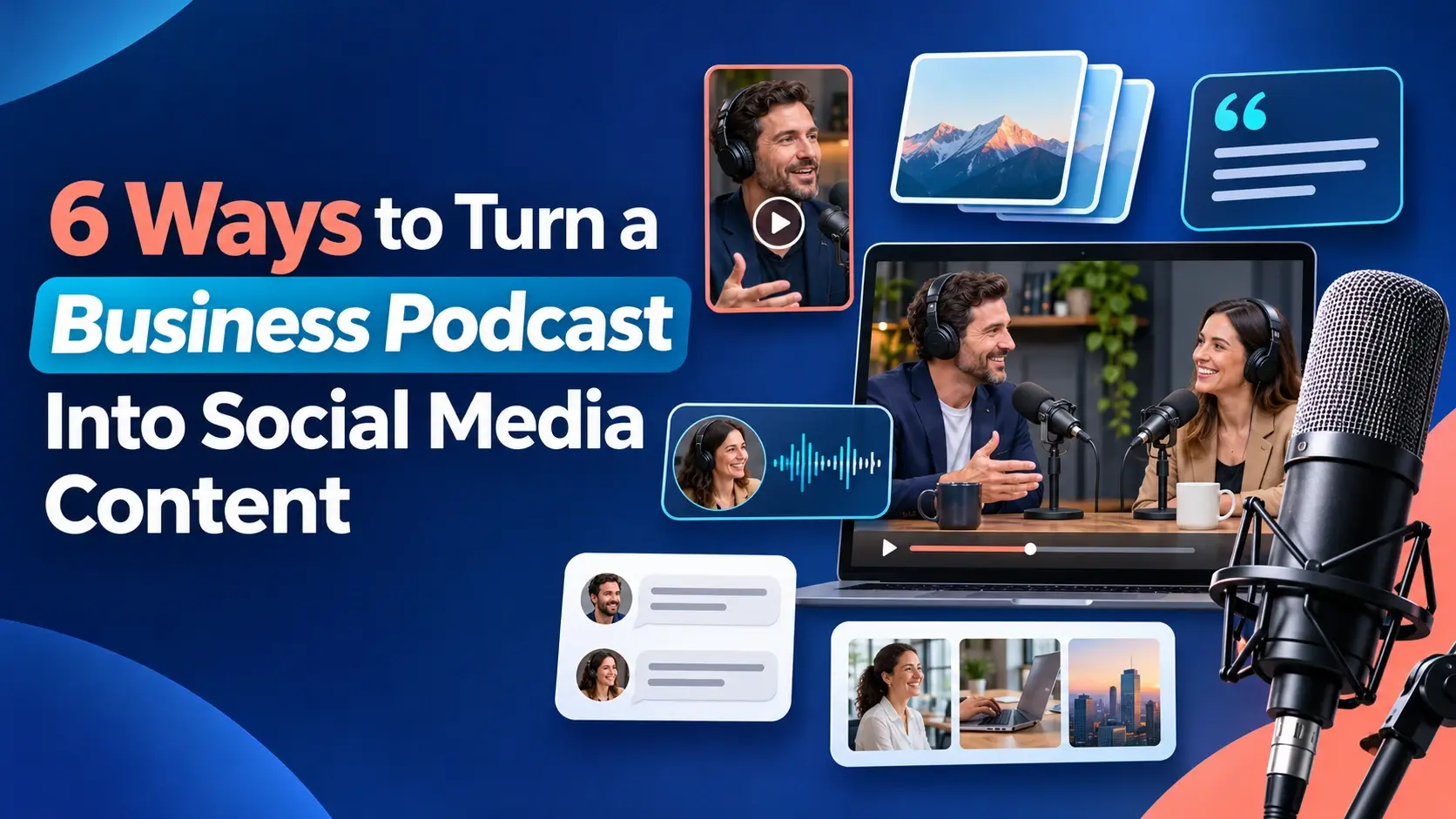
A business podcast can contain far more than one episode’s worth of content. A guest might explain a common mistake, share a customer story or walk through a useful process. Each moment can become a separate social post with its own purpose.
For small teams, the challenge is choosing what deserves another format. A strong clip needs a complete answer. A carousel needs a clear sequence. A quote needs context. These six approaches help you turn recorded conversations into content that makes sense to someone discovering your business for the first time.
Choose one audience problem and connect it to your marketing strategy. Mark useful answers, stories and practical steps, then decide which format suits each moment.
The invideo Podcast Editor combines AI help with a browser timeline on computers, tablets and phones. Upload camera and microphone recordings, then describe the episode; no script is required. An agent can arrange a first cut, align cameras with your chosen audio, follow speakers and trim fillers, pauses or repeated lines. Cuts can be adjusted or restored.
Voice isolation, noise removal, automatic levels, music ducking and loudness meters help prepare the sound. Ask for editable highlights by topic, duration and format. Captions, guest names and topic cards stay adjustable. Chapter markers show where subjects change.
Colour controls, keyframes and stock or generated supporting footage add finishing options. Dubbing offers 50+ languages, local accents and matching lip movements. Teams can edit together and leave frame-specific comments through review links. Agent jobs continue after closing the tab. Connected AI assistants can also send editing instructions.
Export episodes and clips, or save audio as WAV, AAC or Opus. Editable projects can transfer to Premiere Pro or Final Cut Pro, and to DaVinci Resolve through OpenTimelineIO.
Manual edits and exports are free. Built-in agent work, generation, transcripts and paid stock require credits. External assistants have their own plans.
This makes invideo a useful starting point for preparing several social formats from one recording.
Choose a moment that answers a question your customers already ask. A guest explaining how to welcome a new client could become a short video about making the first week clearer.
Open with the question or the strongest relevant line. Keep enough explanation for the answer to stand alone, then remove repeated points and unrelated conversation. Check that the cut preserves the speaker’s meaning.
For a vertical version, keep faces and important objects inside the frame. Add readable captions, check names and leave room for the platform’s on-screen controls.
Finish with a clear takeaway. Someone should learn something even if they never open the full episode. After publishing, review where viewers stop watching and whether the clip brings useful questions. That feedback can guide the next edit.
A spoken checklist can become a carousel that readers move through at their own pace. Choose a section with clear steps, common mistakes or a simple comparison.
An episode about customer onboarding might become five slides: the problem, a welcome message, a named contact, a first-week plan and a final checklist. Give each slide one job. Rewrite spoken sentences into short points without changing the advice.
Connect the carousel to your social media content strategy so it supports the same audience and business goal as your other posts. Keep colours, type and headings consistent.
Name the speaker and episode so readers can find the original discussion. The final slide can recap the steps and invite readers to save the checklist. Read every slide on a phone before publishing. If the text feels crowded, split the idea or remove a secondary point.
Look for a sentence that captures a useful point of view. A specific observation about hiring, pricing or customer service gives you more to explain than a broad motivational line.
Check the quote against the recording before designing the graphic. Keep the speaker’s name visible and add their role when it helps readers understand the context. If you rewrite the words, present them as a summary rather than a direct quotation.
Give the quote enough space to read comfortably. A simple background and clear type can keep attention on the message.
In the post caption, explain what prompted the comment and why it matters to the audience. Then ask a related question. This turns the graphic into a starting point for discussion and gives readers a reason to share their own experience.
An audio-only episode can become a video with a guest photo, branded background, captions or relevant images. This format is useful when the conversation was recorded without cameras or the strongest moment has no suitable footage.
Choose a short passage with clear sound and a complete idea. Place the speaker’s name and topic on screen, then match captions to the audio. Make the opening frame explain the subject even with the sound off. A waveform can add movement, but the words should remain easy to follow.
Keep background music low enough for every sentence to stay clear. Listen on headphones and a phone speaker before publishing.
If the guest describes a product or process, add visuals that explain it accurately. Avoid filling the screen with unrelated images. The finished post should give the listener a clear reason to stay with the story.
A thoughtful disagreement can become a text post that invites readers into the conversation. Look for a moment where a guest questions a common habit or explains why an approach worked differently for their business.
Summarise the view in a few sentences and include the situation behind it. Advice from a large team may need a different approach in a small business, so keep that context visible.
End with one focused question. Ask what readers have tried, where they struggled or what changed their mind. A specific prompt is easier to answer than a general request for thoughts.
Reply to comments with useful follow-up questions. Keep a note of repeated concerns and bring them into a future episode. The original interview then becomes the start of an ongoing exchange with your audience.
When an episode includes a customer experience, organise it around three points: the problem, the action and the result. Present it as a short video, a slide sequence or a written social post.
Include details that help readers understand the situation. Explain what changed in the process and what the customer learned. Check any figures with the customer and confirm that they are comfortable with the story being shared.
Give interested readers a relevant next step, such as a fuller case study or a practical guide. To turn website visits into enquiries, the destination should answer the question raised by the post and make the next action clear.
Choose one next step for each post so readers know where to go. Track visits and relevant enquiries from these posts. They help you judge whether the story connects with potential customers.
A business podcast can support short videos, carousels, quote graphics, videos built around audio, discussions and customer stories. Each format brings a different part of the conversation into focus. Start with a useful episode, choose moments that answer real audience questions and shape each post around one clear idea.
AI editing can help prepare the material, but careful selection and a final review give each piece its value. Publish at a pace your team can maintain, then let audience responses guide the next batch.
Start with three to five strong pieces and expand when the recording has more distinct ideas. Treat this as a planning target, not a quota.
Keep it long enough to explain one point clearly. Try a 30–60-second cut first, then adjust based on the answer, the platform and viewing behaviour.
No. Some posts can teach a complete lesson or invite discussion. Add an episode link when the longer conversation offers a useful next step.
Record promising timestamps, group similar editing tasks and keep a few simple design templates. Assign one person to check wording, captions and the finished posts before publishing.

 Seo Admin
Jan 21, 2026
 Seo Admin
Nov 07, 2025
 Seo Admin
Apr 17, 2026
 Seo Admin
Dec 24, 2025
 Seo Admin
Jan 30, 2026